Questa è un’esclusiva de “lo smontatore”
Ho deciso da poco di completare il mio corredo con una nuova macchina fotografica e mi sono imbattuto in questa fantastica Panasonic Lumix LX3 contrariamente a quanto il mio chiodo fisso pro-Canon diceva.
E mi sono innamorato.
Ma come tutte le storie d’amore, ad un certo punto, bisogna smontarle e rimontarle… per farle durare in eterno.
Bando alle ciance.
Corpo macchina.
Per poter accere al cuore della piccoletta bisogna svitare tutte le viti “visibili”. E’ importante notare come le viti presenti non siano tutte uguali… ma gli ingegneri Panasonic non hanno tralasciato niente: ogni gruppo di viti è stato marcato con un colore diverso.
Nella galleria qua sotto potete vedere come.
[album: https://erkinson.altervista.org/wp-content/plugins/dm-albums/dm-albums.php?currdir=/wp-content/uploads/dm-albums/lx3-screws/]
Ma nonostante abbiamo svitato tutte le viti “visibili” anche provando a tirare il retro della macchinetta proprio non vuole saperne di venir fuori. Infatti ci sono quattro viti “nascoste” nel connettore del flash e del mirino ottico (di una misura ancora diversa). Per sfilarlo via si può usare un cacciavite a taglio o una schedina un po’ rigida. Bisogna fare attenzione a non tirare con forza il connettore, comunque, perchè è collegato alla scheda con una flat non molto resistente.
[album: https://erkinson.altervista.org/wp-content/plugins/dm-albums/dm-albums.php?currdir=/wp-content/uploads/dm-albums/lx3-flash/]
A questo punto si può sfilare via con attenzione il retro della macchinetta. Con attenzione sempre per via delle flat, ma quelle dell’LCD questa volta (una flat per l’immagine e una per l’illuminazione).
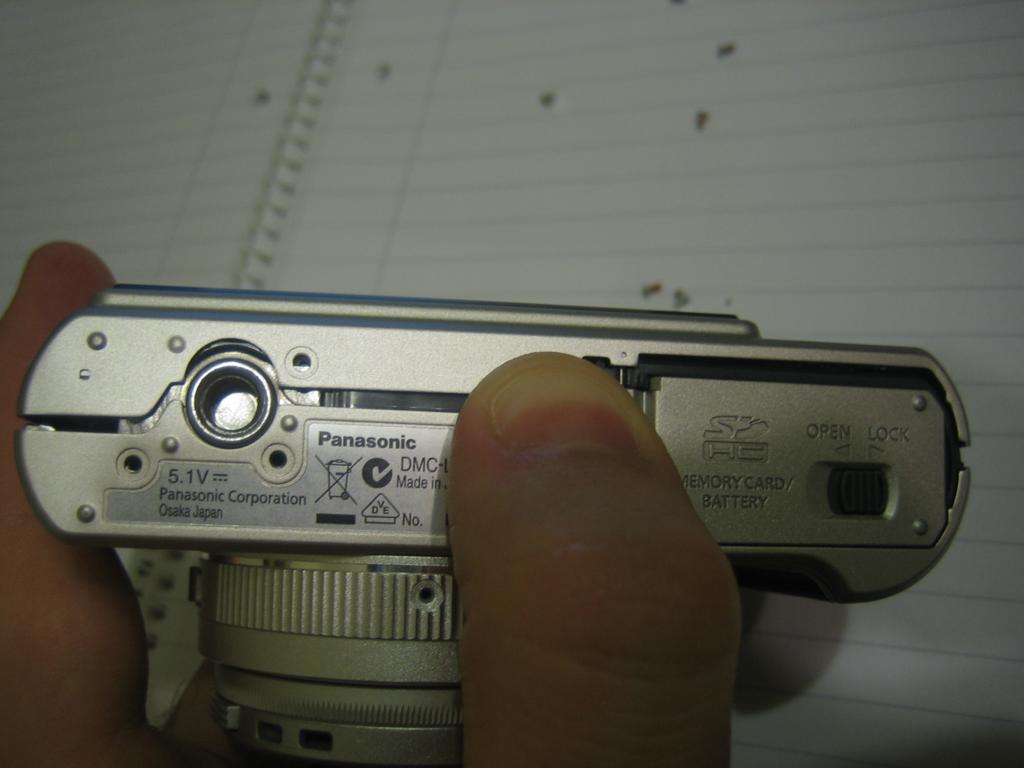
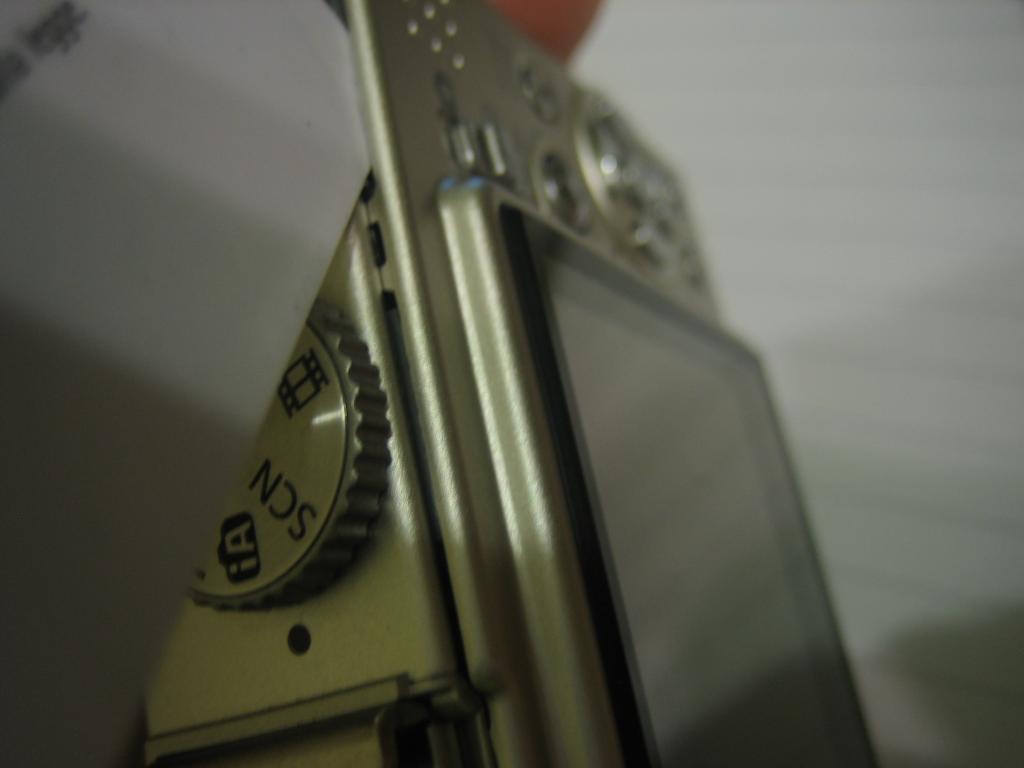
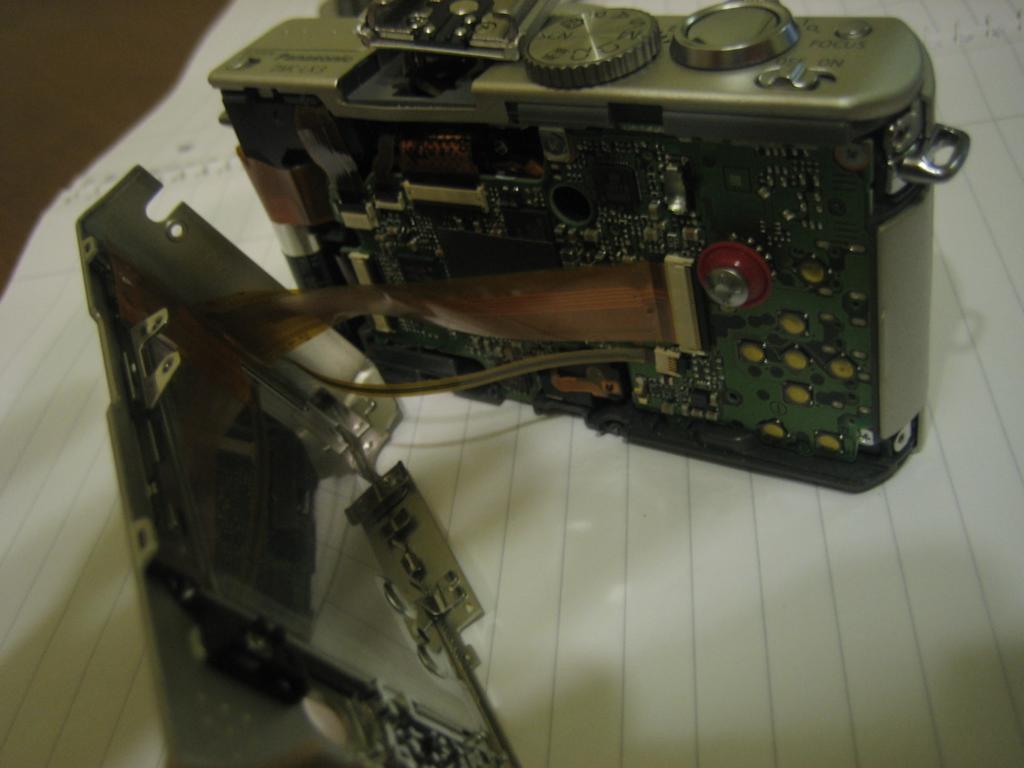
LCD
Per rimuovere le flat bisogna alzare le levette nere vicino entrambi i connettori (quello piccolo e quello grande). Dopodichè per rimuovere l’LCD dal corpo macchina bisogna togliere dall’incastro i due punti che lo tengono ancorato.
[album: https://erkinson.altervista.org/wp-content/plugins/dm-albums/dm-albums.php?currdir=/wp-content/uploads/dm-albums/lx3-lcd/]
Parte superiore con flash
A questo punto possiamo concentrarci sulla scheda madre. Ci sono molte flat e solo due viti. Tolte le viti e le flat possiamo sfilare via (con una certa attenzione per via dei ganci che servono per legare la macchinetta al girocollo) la parte superiore con i comandi e il flash. Bisogna fare attenzione a non scoprire i contatti del flash perché nel caso fosse ancora carico potrebbe rovinarsi e scaricare tutta l’elettricità accumulata su di voi?!!?
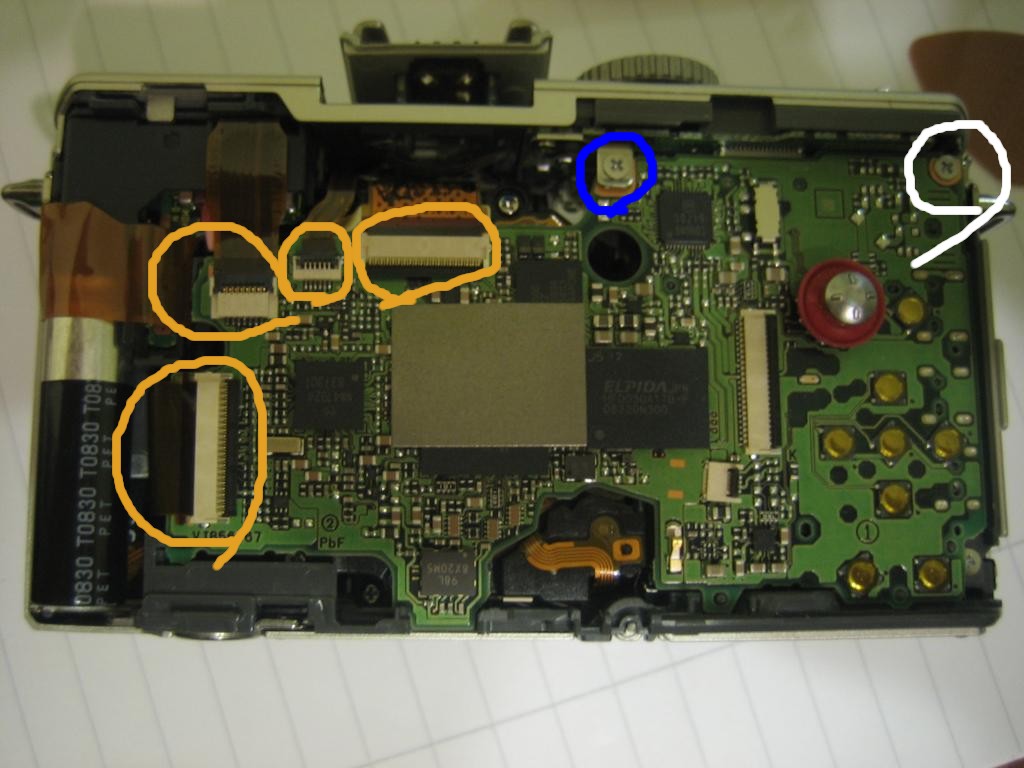
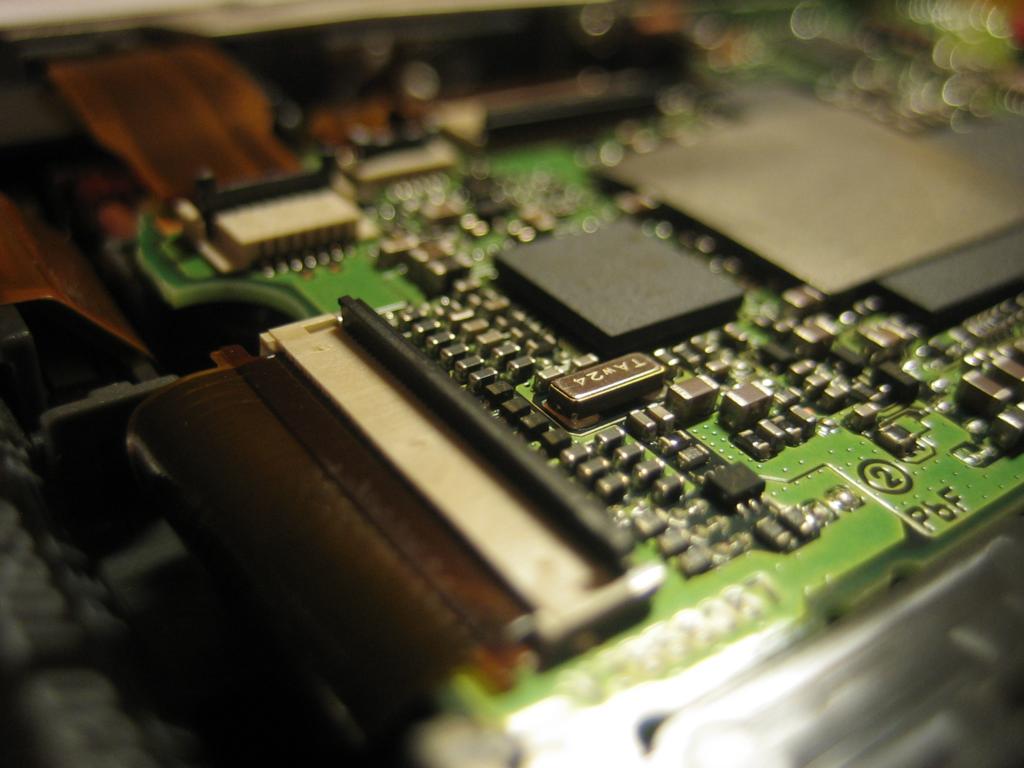
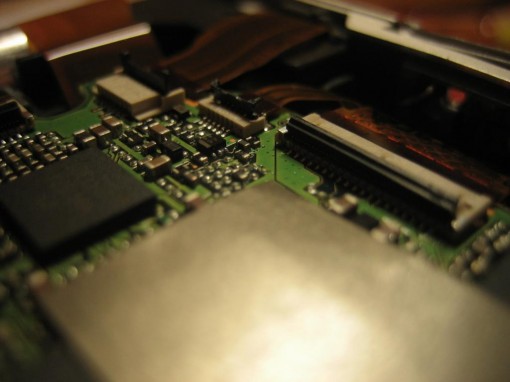
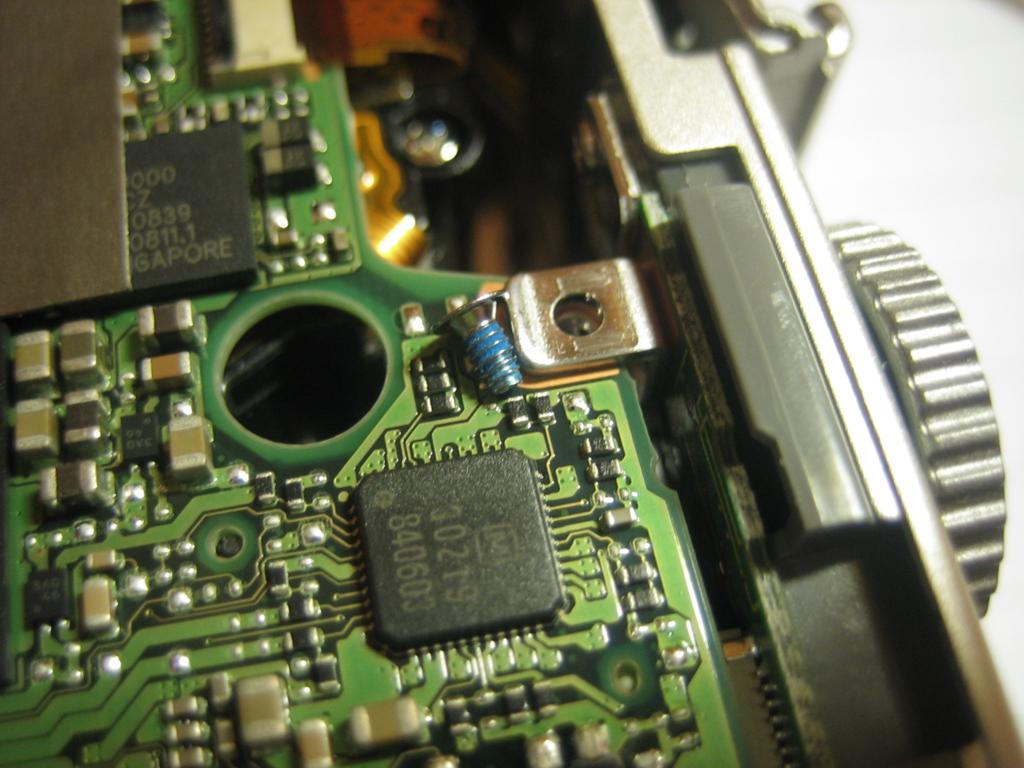
Ora possiamo sfilare il flash… da notare il connettore sulla destra che non è una flat!?!
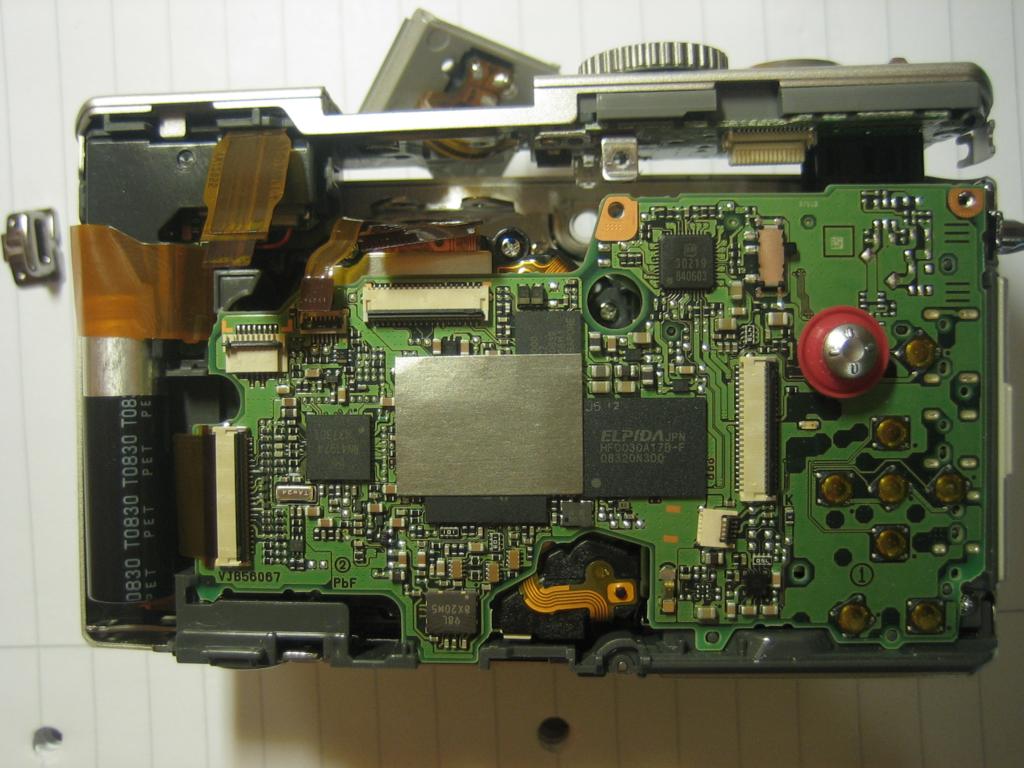
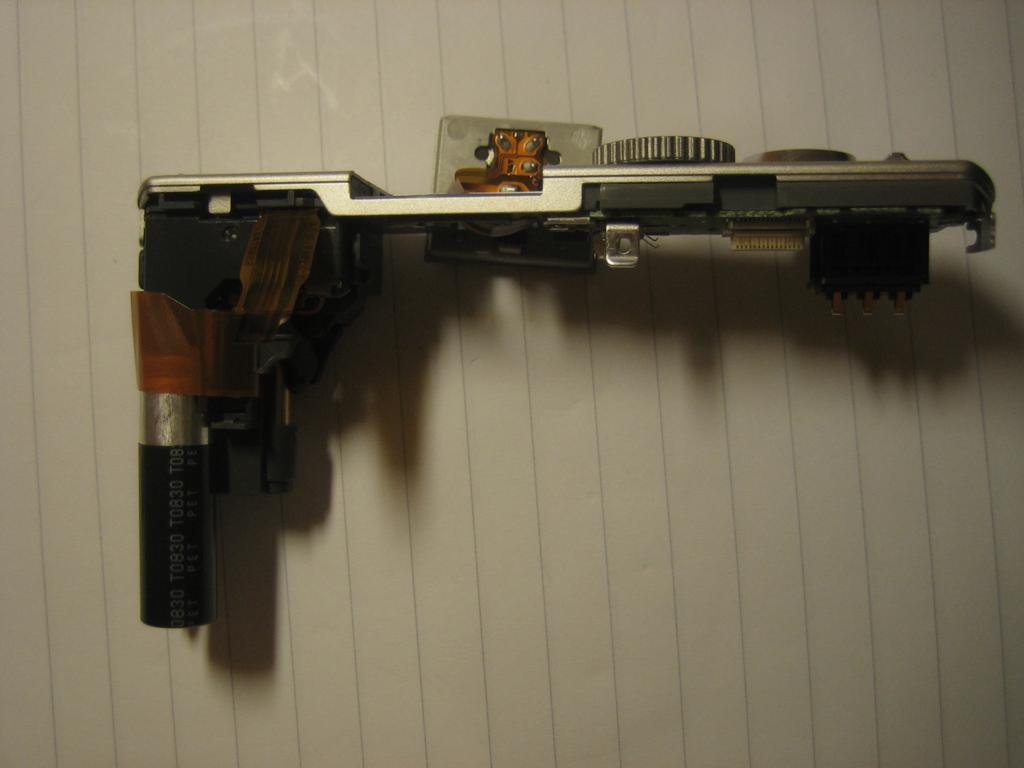
Flash e parte superiore con comandi
Scheda Madre
Visto che avevamo già svitato le due viti (la bianca e la blu) e tolto tutti i flat dobbiamo fare un’altra operazione prima di poter togliere la scheda madre: bisogna osservare che la scheda è incastrata in una piccola sezione di plastica… per cui basterà spingerla poco verso l’alto e poi tirarla verso di noi.


Scheda madre della Panasonic Lumix LX3
Vano Batteria
Ed eccoci all’ultimo tipo (ancora no..) di vite che incontreremo. Non è contraddistinta da nessun colore ma è facile da riconoscere essendo la più lunga tra quelle finora incontrate. Si trova nell’insenatura marcata in foto. Tolta quella il vano batteria si può rimuovere facilmente.
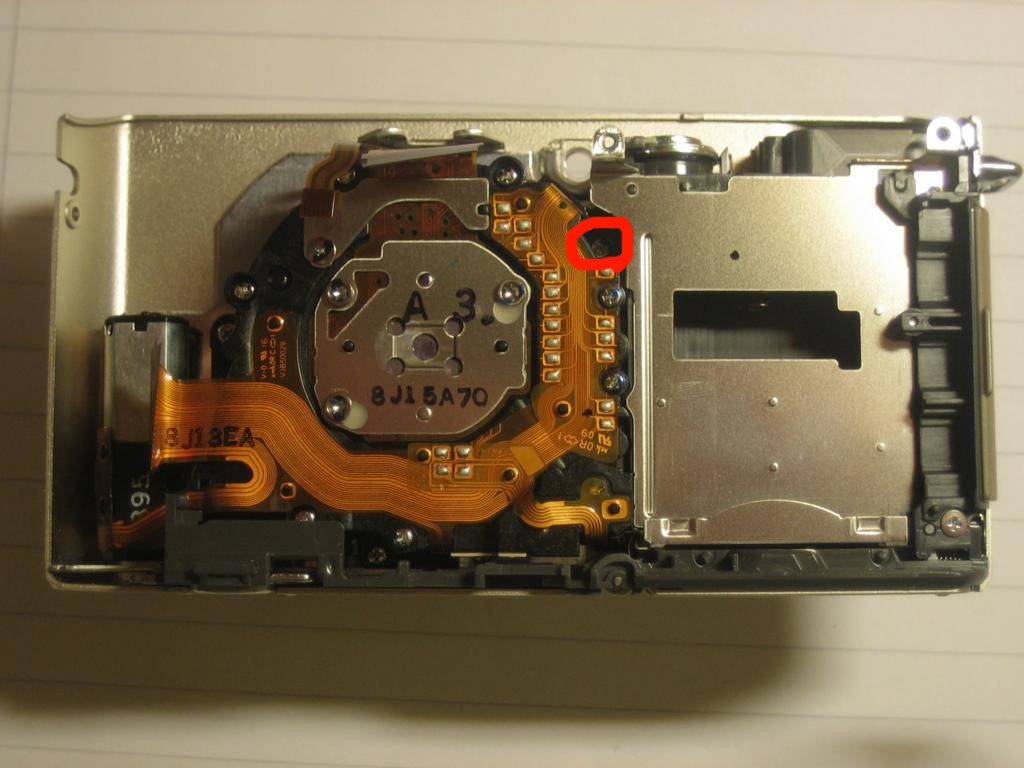
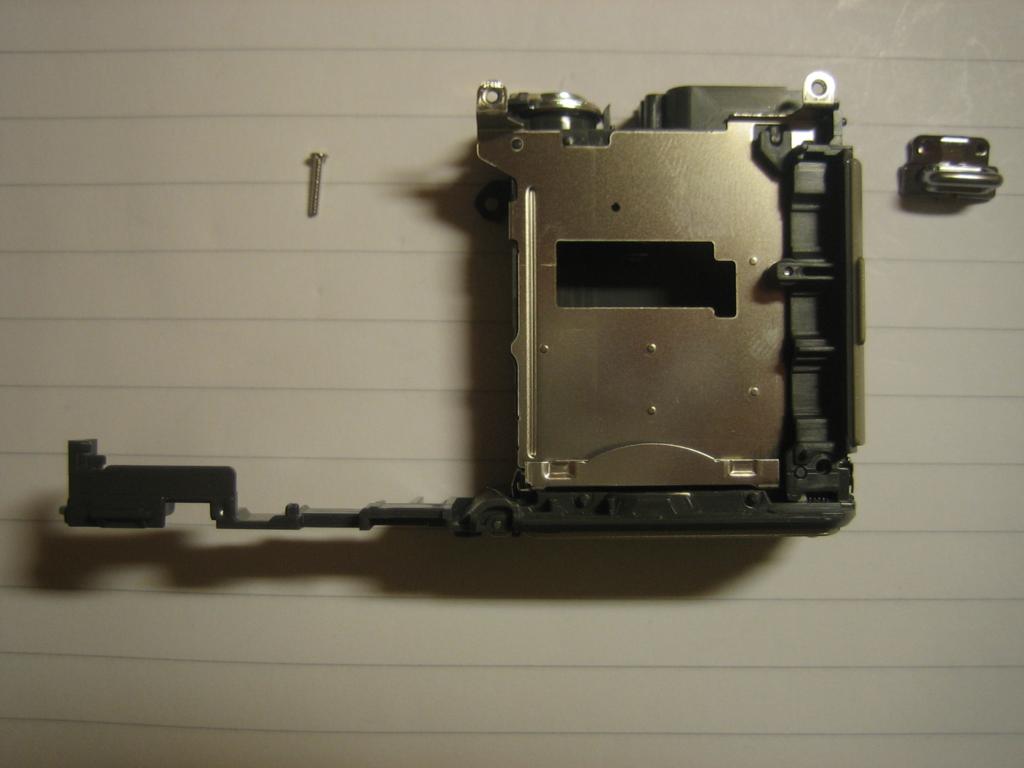
Vano batteria Lumix
CCD e OTTICA
A questo punto ci troviamo di fronte al cuore della Lumix LX3. Qui oltre a toglierla dal corpo macchina non sono riuscito a smontare l’ottica ne a vedere questo famoso CCD da 1/1,63″ più grande rispetto agli altri CCD delle compatte perché c’è una strana vite a stella (un po’ come un torx inverso) che non ho come smontare….
Qua sotto metto una galleria di immagini del CCD e di parti elettroniche della scheda madre.
[album: https://erkinson.altervista.org/wp-content/plugins/dm-albums/dm-albums.php?currdir=/wp-content/uploads/dm-albums/lx3-ccd/]
###Eventuali domande o osservazioni nei commenti aperti a tutti###
###Potete scaricare le immagini ad alta risoluzione (3Megapixel) qui###

Download Immagini

Hi
I am the owner of an LX3 since it has been out , idid so many things with it and took photos everywhere , must say it’s a pretty solid engine if you take good care of it . Once I was on a Rio in North Spain it fall in water for 2s enough to get water inside the LCD , lucky I was it was something like 45°C in the shadow , so I opened it a little to get air in an let it dry for 2 days , it was in 2012 …. Last year during summer in a rush a very heavy door slammed me and my beloved Lumix , I did not realized at the moment but when I tried to take a new pic my LCD was purple / grey with …. no way , it’s dead .. Can it b only the Ccd that I could afford to replace myself . Am coming for the advice from you if you have any idea of this symptom . Thx , best regards . Rico
Bonjour,
Merci pour ce TUTO ave moult photos qui m’ont servis à charger mon écran cassé.
Petit détail, je l’ai fait sur un LX5.
Autre point, pour ne pas confondre les différentes vis, j’utilise un morceau de scotch papier, avec les deux bouts replier et coller sur le plan de travail, sur lequel je colle provisoirement les vis en ayant marquer dessus où elles vont.
Bien cordialement
Thank you for the wonderful tutorial. The hinge of the battery door of my LX3 broke. I managed to open the camera but now I am wondering how to take out the faulty hinge to replace the new one I bought. Help please.
The display screen of my LX3 stays black, though the camera itself is functioning perfectly.
Does this mean I need to replace the display? If yes, suggestion for a reliable seller is welcome! I am just not ready to give up my LX3…
Thanks for the post, I was searching for quiet awhile and this post brought some light in the dark. :-)
Research so far: the display has 2 plastic yellow ribbons/ rubber, the wide one is connected with the display screen, the narrow one is the backlight. (see 5th picture) That one is damaged in my camera. I contacted the seller of repair parts and he told me that the backlight needs to be fixed. So it is not the display screen, but the backlight that needs to be repaired. It is about 25 USD on Ebay.
Does anyone know how to replace the backlight? Or even the display screen? Because the plastic ribbons are attached in an impossible way. I can’t figure out how I can replace it. Anyone? Thanks!
Very nice for you to still have this website running.
Just replaced the LCD on my LX3 tonight using a $25 eBay LCD and your instructions. Images were very helpful. This camera was always a favorite, won’t replace my Sony a6000 but still great to have it back working!
”
petr (Reply) the 14 November, 2014
Thank you for very usefull guide.
I tried fix my camera with partial success.
Lens of the camera was stuck inside of the camera. When I turned on, the lens did not go out. I have found service manual and this guide. I fixed blocked servo-motor of zoom so finaly lens is going like “new”.
(I took of the servo out of lens body. Then I took of 2 screws from the servo. And then little bit opened body of the servo(maybe 1mm). And one of the wheels unblocked itself so after assembling the camera lens worked fine).
BUT! Unfortunately lcd displey stood dark. No back-light, no icons, no signs. Before fixing of the zooming lcd was ok. Is not cracked, ribb.cabel seems to be ok. I tried at least 5x take of the two cabels off the lock and then put it back. But no picture on the lcd any more. Camera takes photo good. Even with flash. There is no problem. Any idea what is suddenly wrong with lcd? What have I done wrongly during assembling? Thank you for your help, Petr P.S. – battery is charged fully and my hands stood dry for all that time
”
Right!
Nobody replied to me. So I took magn.glass. Properly checked very thin wires led between LCD and locker. It was very hard to see it, but I found that. The Way was broken on the smaller rib.cabel. There are 2 wires. Broken was just one of them. I had to change myself to mode “brain surgeon” :) Stop shake of hands for necessary time.
I scraped foil above of cuprum. Soldering….. ByPass I made from thin wire(cabel).
I would post here a picture of my work, but here is no availability…
Super, could never have found out how to open the monitor without you! (screws under the flash connector… oef)
Thanks for the effort!
Thank you for very usefull guide.
I tried fix my camera with partial success.
Lens of the camera was stuck inside of the camera. When I turned on, the lens did not go out. I have found service manual and this guide. I fixed blocked servo-motor of zoom so finaly lens is going like “new”.
(I took of the servo out of lens body. Then I took of 2 screws from the servo. And then little bit opened body of the servo(maybe 1mm). And one of the wheels unblocked itself so after assembling the camera lens worked fine).
BUT! Unfortunately lcd displey stood dark. No back-light, no icons, no signs. Before fixing of the zooming lcd was ok. Is not cracked, ribb.cabel seems to be ok. I tried at least 5x take of the two cabels off the lock and then put it back. But no picture on the lcd any more. Camera takes photo good. Even with flash. There is no problem. Any idea what is suddenly wrong with lcd? What have I done wrongly during assembling? Thank you for your help, Petr P.S. – battery is charged fully and my hands stood dry for all that time
Thanks for publishing this! I just managed to fix my LX3 after dropping it. One of the connectors on the motherboard had come loose.
I don’t think I would have found the screws under the hot shoe without this.
Ho una leica d lux 2 identica a una lumix lx1, fa le foto sfocate sul lato sinistro, ho notato che l’obiettivo quando è esterno si muove di circa 1/2 mm e quando è in posizione di riposo e si squote la macchina si sente qualcosa che si muove non so se è una cosa normale.
Secondo te c’è qualcosa da stringere o bisogna sostituire l’ottica.
grazie pietro
Bel tutorial, fantastico, anzi. Io in effetti mi chiedevo se è possibile arrivare all’ottica senza smontare tutto quanto: un pezzetto di tabacco si è infilato sotto il vetro più esterno dell’obiettivo e sta appoggiato dentro, sulla lente. Per cui su tutte le foto adesso c’è una macchia grigia…come faccio a smontare solo questo diabolico obiettivo retrattile??
Grazie !! ho potuto riparare la mia lx3 grazie a te.
grazie di nuovo , un saluto!!
I have a Lumix DMC-FX150 that has a defective lcd screen. I could still take photos but couldn’t view them on the screen. I opened the camera and found that the smaller ribbon cable was broken and the larger one was disconnected. I may have disconnected the larger one by mistake when opening the camera, as it stuck at first. I wonder if someone could tell me what the smaller ribbon cable is for. I’ve found a you tube video that shows me how to replace the lcd and I’ve located the part. But it doesnt seem to have the second smaller cable with it. I’d like to know what that actually does. If someone could help, I’d appreciate it.
Thanks
Ho una Panasonic Lumix LX3 che non funziona (scatta la foto ma non si vede l’immagine sullo schermo, la foto viene memorizzata sulla SK di memoria) chi mi può dare un indirizzo di un riparatore affidabile e onesto.
Zona Milano e provincia.
Grazie
Roberto
Faresti meglio a contattare l’assistena Panasonic per farti consigliare meglio…
Puoi usare questo modulo qui.
https://www.panasonic.it/html/it_IT/363698/module/general/contact/clear.html?enquiry=products
(nel caso risolvessi il problema e volessi raccontare come ci farebbe piacere ricevere un altro tuo commento…)
Hi Roberto and Erkinson, having the same problem I contacted Panasonic support, which directed me to a seller for parts. The price for -only- the display would cost me 120 Euro (+/- 140 USD). So, that why I want to try to fix it myself with a cheaper option.
Ciao!
ho avuto purtroppo una infiltrazione di sabbia nell’ottica! sono disperato! Sei riuscito a trovare la chiave torx per la vite? dici che è reperibile?
Non ho poi più provato nè cercato (anche perché non ho più la fotocamera)… ma pensando alle altre fotocamere e ottiche che ho smontato in seguito può darsi che non ci sia bisogno di svitare quelle tre viti che bloccano solo il sensore. Magari puoi provare a smontare tutto il resto con molta attenzione.
Sono piu che sicuro,che non e la batteria…l’ho provato anche con un’altra…e strano,che ogni tanto,si accende ,lo uso per qualche minuto,poi si spegne…non mi da nessun errore,quando si acende…ho cercato di comprare uno,con il display rotto,o con l’obietivo rotto…ma non ne trovo.Grazie
Purtroppo non posso aiutarti… non si trova su internet un tipo di errore come il tuo… Nono puoi far altro che contattare un centro assistenza Panasonic.
Thx.very usefull.i still have a question for you,if you can help me.when i put the battery,the red light on the front is shining.even if it is closed.and does nothing,no matter if it is open or close.thanks,and excuse my english
Purtroppo non so a cosa possa essere dovuto… Potrebbe essere che la batteria è rovinata??? Hai modo di provarne un’altra?
great tutorial- thank you very much !
Salut Erkinson
j’ai un problème de zoom bloqué due à un choc ( l’appareil et tombé sur le sol à hauteur d’1m…
Après démontage (2x) le problème persiste
le zoom s’est bloqué après un aller retour.
j’ai démonté le moteur du zoom puis que la roue dentée moteur n’était plus dans les gorges de l’autre roue.
je me demande quelle doit être la position du zoom (sortie ou rentrer) avant remontage du moteur.
y a t-il une position précise à respecter pour que l’appareil s’initialise correctement à la mise en marche ?
merci
There isn’t a precise position for the zoom… The important thing is that every piece is in the right place, so when you start up the camera it automatically retract and eject zoom properly.
I have a question for you: What screwdriver did you use?
j’utilise des tournevis de précision
que puis-je faire ?
j’ai remonté à nouveau le Lumix LX3 avec soin,
A la première mise en marche, l’objectif sort et reste en position sorti
puis messages intempestifs “retirer le capuchon d’objectif et appuyer sur une touche” .
que faire ?
merci
Seems that the zoom doesn’t extend till the end… Something, in the inner parts, could block its movement.
Hallo
ich habe eine LX3 die gestern den Geist aufgab. Alles funktioniert, ausser das er kein neues Bild auf den Display anzeigt. Nur die Bilder ab der Speicherkarte sowie die Menü Info erscheinen auf den Display. Ist der Bild-Chip defekt? oder was könnte das sein?
Danke
Could be an optical problem (a faulty shutter) or a electrical problem (a faulty CCD)…
I need to clean the lens at the front as there is something causing it not to extend properly, do you get to the lens via the front screw or would I just follow the above instructions
Unfortunately, I have no such facility. You need to unscrew that strange screws you see above (on the rear part of the lens module)…
I don’t know what type they are…
Hi There!
I don’t suppose you have any advice for doing the same to a LX5 by any chance?
I need to get at the sensor on mine, but can’t figure out how to remove those ribbon cables from the back panel – the connectors on the main circuit board seem to be different to the LX3 :-(
Thanks,
Matt
Sorry, I don’t own a LX5.
The only help I could give you is this service manual…
https://www.box.com/shared/rcnz2fda2h50akopcnid/1/201643526/1533694734
Let me know if I can do something else.
Dario
my lx3 shutter, direction button, q.menu, af/aelock, focus and the display button is not functioning, do you have idea how to reset or fix it?
Maybe the camer took some water???
Great guide! My lx3 at the moment can only focus really close up, but anything further than 10-15cm away doesn’t work. Admittedly it has been to hell and back in the last year. any idea if that is purely optical fault that could be resolved with cleaning of the lens barrel or…?
Sending it off to be serviced makes little sense as for a little more money i could get the new model..
Maybe could be a mechanical problem of the focus system….. But you need to disassemble the whole optical unit… and I don’t know what screwdriver could help you, as I written in the post…
no, my hands were dry.
thanks for this description of how to disassemble – very useful!
quick query. after removing hidden screws and back panel i no longer have power to the camera. i have reassembled but still no power/ do you have any idea what may have happened?
thank again!
Did you have wet hands????
Bonjour,
J’ai un lx1. l’ecran n’affiche plus les images en mode photo. Lorsque je prend une photo elle est bien sûr toute noire. par contre je peux visualiser des photos déjà prises. Avez vous une idée de cette panne. Merci d’avance pour vos conseils.
My Panasonic LX5 got soaked in water. Right now it is not powering up. Is there a possibility to dis-assemble it just like the LX3 shown in wonderful detail here and get it working after drying its internals
It is possible to disassemble it… The procedure should be similare to the one you see in this post with some differences. But I Thinks it is almost impossible that your camera come back alive… Water is the worst enemy! Let me know if you need some help.
hello,
thanks a lot for this great website, very well illustrated and detailled explanations for dismantling the LX3. I have a few questions, sadly I dropped my LX3 and the only thing that broke is somewhere in the mechanism for the zoom, as we don’t see this part in your explanations, I was wondering if you managed to reached it or is it behind that strange screw?
regards
cyril
It is behind the mechanism. :-( Strange screws = secrets?!?! Eheh
COMPLIMENTI !
Excellent job : how could I find the 4 hidden screws in order to replace the broken LCD of my beloved LX3 ?
I found on e-bay S&F electronics, based in LIVORNO (Italia) : do you think they cansupply safely a new LCD for my LX3 ?
Thank you !
Arta
Thanks.
The four hidden screws as you can see in snapshots are under the flash/viewfinder connector.
I think S&F Electronic could ship LCD everywhere but you should contact them directly to know costs and handling times.
thanx,
this highlevel helpfully article saved the life of my lx3!!
almost smashed my camera instead to fix it, because i was to stupid to find the four hidden screws!!
Thank you!!
Very detailed and impressive description, I’ve been looking for such an article for month. If you could help me with some extra details I would be very thankful. My main target is using an Lx3 for RC aerial photoes and it would be nice to remote control the shutter zoom and other buttons. Therefore the electric contacts of these buttons have to be brought outside. Do you see any possibility so solder some thin wires there? Or could you send me some extra detailed photoes about how the control buttons are connected to the main board?
Thanks in advance
Cheers
rcflyrodeo
check my videos on:
https://www.youtube.com/user/rcFlyrodeo#p/u/10/p8EBVSBdL0Q
I’ve sent you an email. :-)
I know you sent rcflyrodeo an email concerning his question to bring the shutter contacts to the outside. Could you fill us in on whether it’s possible or not?
Thanks!
I found the service manual on internet…He said it’s possible! You can download it from here https://www.megaupload.com/?d=MLJVAJII
Hoping to be useful…